Exercise library
Find structured exercises and preserve the coaching detail that matters.
Coach Dashboard
The OMR Coach Dashboard is your operational command centre for client work, programme delivery, challenges, bookings, credits, connected payments and communication.
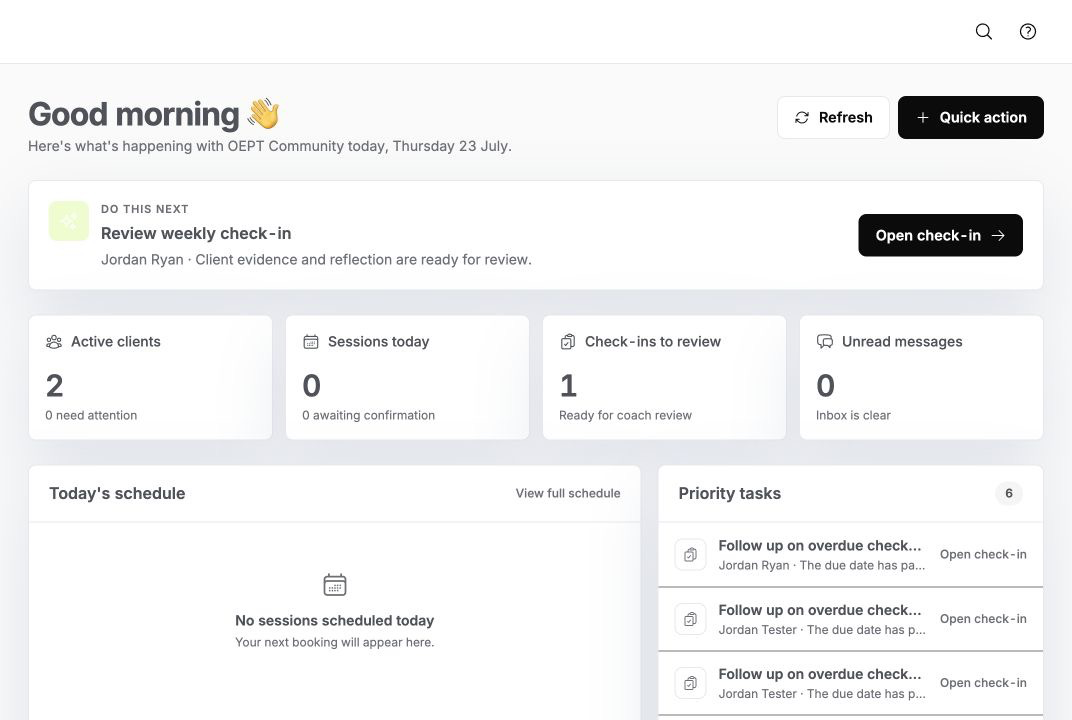
01 · Today workspace
OMR separates urgent work, today’s schedule and upcoming actions so you can make a decision before navigating the rest of the system.
02 · Client workspace
Open one client record and move between the programme, sessions, tasks, forms, progress, schedule and conversation without rebuilding the story.
03 · Workouts and programmes
Create reusable exercise and workout libraries, organise complete multi-week programmes and tailor assignments for the client in front of you.
Find structured exercises and preserve the coaching detail that matters.
Create sessions with ordered exercises, sets and coaching context.
Combine workouts into a clear multi-week delivery plan.
04 · Challenges, schedule and bookings
Create challenges, coordinate sessions and keep attendance connected to the people and community behind it.
Create shared goals and review participant progress.
See sessions, activities and key dates in one operational view.
Keep check-ins connected to the relevant activity and member.
Coordinate the sessions that make the community feel active.
05 · Credits, packages and payments
Offer eligible packages and credits around your services, then use your community’s connected Stripe account for payment and payout settings.
Shape access around sessions, credits or recurring delivery.
See issued, remaining and used credits in client context.
Retain control of your Stripe account, pricing and payout settings.
Each community connects and manages its own Stripe setup.
Provider fees remain separate from the recommended OMR setup.
Commercial access stays connected to the relevant client or member.
06 · Inbox and setup
Move from a coaching signal to the right conversation, then manage the settings, roles and branding that shape the experience.
Find the right conversation without losing client context.
Give people access aligned with the work they do.
Configure the shared details that appear across the platform.
07 · Responsive access
The Coach Dashboard is desktop-first and responsive for smaller screens. OMR Coach expands the mobile coaching companion in a later phase.
Book a walkthrough and we will show the parts of the Coach Dashboard that fit your day-to-day work.